RK Cosmos ID Verification for New Accounts: What Documents You Need
RK Cosmos ID Verification for New Accounts: What Documents You Need
When you register on RK Cosmos, you'll need to verify your identity before you can withdraw winnings. This guide explains which documents the platform accepts, how to upload them from your phone, and what to expect during the verification process.
Why RK Cosmos Requires ID Verification for Filipino Players
RK Cosmos asks new players to complete ID verification to confirm your age and identity. This is a standard step across online casinos and sportsbooks operating in the Philippines.
The platform checks that you're at least 21 years old—the minimum legal age for online gambling. Verification also helps protect your account from unauthorized access and prevents fraud.
You can create your RK Cosmos account and make your first deposit without uploading documents right away. However, you won't be able to withdraw funds until verification is complete. Most players submit their ID shortly after they register or before they request their first withdrawal.
Accepted IDs: Government-Issued Options That Work
RK Cosmos accepts several types of government-issued identification from the Philippines. You only need to submit one primary ID from this list:
- Philippine Passport – The photo page with your name, date of birth, and passport number
- Driver's License – Both front and back of your license card
- UMID (Unified Multi-Purpose ID) – Front and back
- SSS ID – Front and back
- Postal ID – Front and back
- PhilHealth ID – Front and back
- PRC ID (Professional Regulation Commission) – For licensed professionals, front and back
- Voter's ID – Front and back
The document must be current and not expired. Your full name on the ID should match the name you entered when you registered your RK Cosmos account.
If the name on your ID is slightly different (for example, you used a nickname or shortened version during RK Cosmos register), you may be asked to provide an additional supporting document or contact customer support to update your account details.
What RK Cosmos Looks For
The verification team checks that:
- The ID is valid and not expired
- Your photo is clearly visible
- Your full name, date of birth, and ID number are readable
- You are 21 years old or older
Make sure your date of birth on the ID confirms you meet the 21+ age requirement before uploading.
How to Take Clear Photos and Upload Documents on Mobile
Most Filipino players access RK Cosmos on Android phones, and the upload process is designed for mobile. Follow these steps to take photos that pass verification the first time.
Prepare Your ID
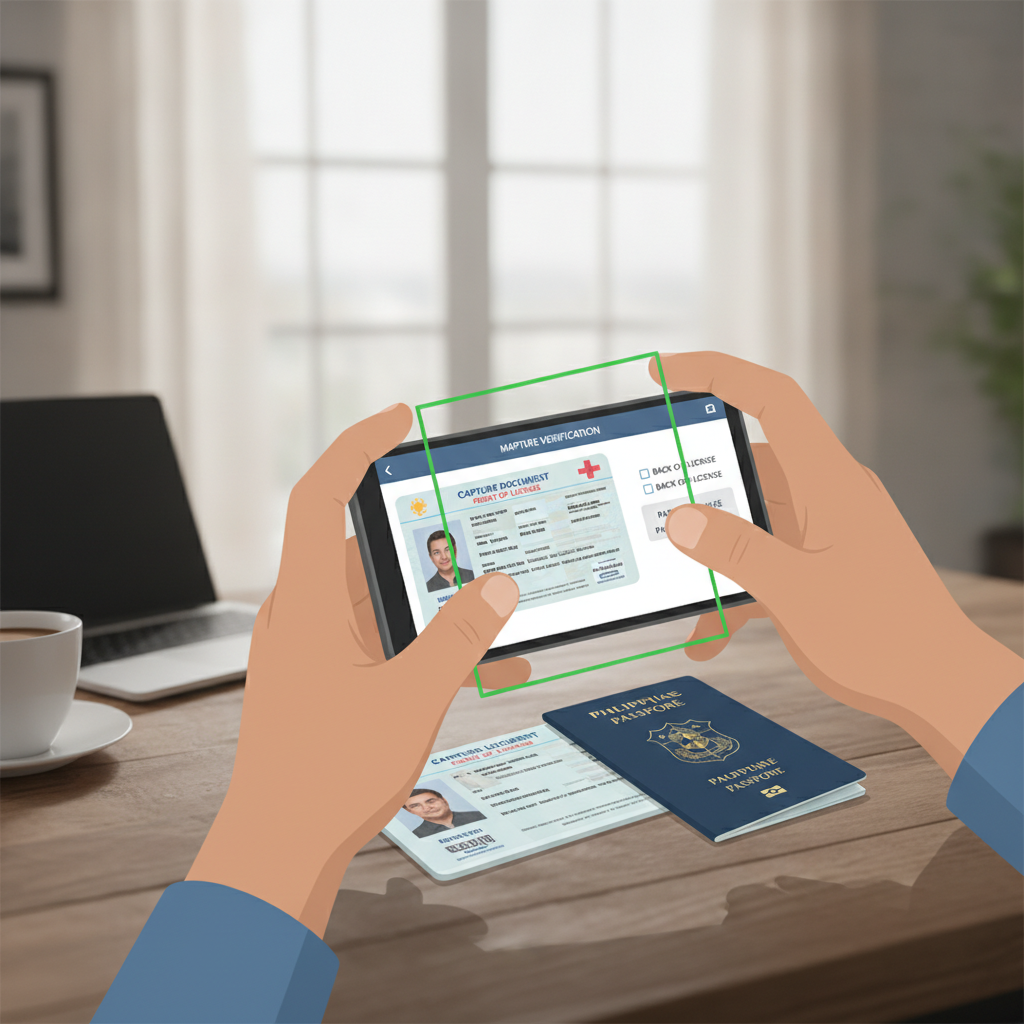
Place your ID on a flat, dark surface—a table or desk works well. Avoid holding the ID in your hand, as this can cause blurry images.
Take the Photo
- Use good lighting. Natural daylight near a window is ideal. Avoid using flash, which can create glare and wash out text.
- Hold your phone directly above the ID, keeping the camera parallel to the document.
- Make sure all four corners of the ID are visible in the frame.
- Tap your screen to focus before taking the photo. The text and photo should be sharp, not blurry.
- Check the image. Zoom in to confirm that your name, date of birth, and ID number are easy to read.
If your ID has information on both sides (like a driver's license or UMID), take separate photos of the front and back.
Upload from Your Phone
- Log in to your RK Cosmos account on your mobile browser or app.
- Navigate to the account or profile section. Look for "Verification," "KYC," or "Upload Documents."
- Select the type of ID you're uploading from the dropdown menu.
- Tap "Upload" or "Choose File" and select the photo from your phone's gallery, or use your camera to take a new photo.
- If your ID has two sides, upload both images in the designated fields.
- Review your uploads to confirm the images are clear, then submit.
You should receive an on-screen confirmation that your documents have been received. Some players also get an email or SMS notification.
Common Mistakes to Avoid
- Blurry photos – Move to better lighting or steady your phone before shooting.
- Glare or shadows – Turn off your flash and angle the ID away from direct overhead lights.
- Cropped corners – Make sure the entire ID fits in the frame.
- Wrong file format – Use JPEG or PNG. Avoid PDFs or screenshots of photos, which can reduce quality.
- Edited images – Don't use filters, crop important details, or alter the image in any way.
How Long Verification Takes and What Happens if Documents Are Rejected
RK Cosmos typically reviews ID submissions within 24 to 72 hours. During busy periods—such as weekends or after a major sports event like PBA or NBA finals—it may take slightly longer.
You can usually check the status of your verification in the same account section where you uploaded your documents. The status will update to "Pending," "Approved," or "Rejected."
If Your Documents Are Approved
Once approved, you'll be able to request withdrawals to GCash, Maya, or bank transfer via InstaPay and PESONet. Your account status will show as verified, and you won't need to submit ID again unless the platform asks for updated documents in the future (for example, if your ID expires).
If Your Documents Are Rejected
If RK Cosmos cannot verify your ID, you'll receive a notification explaining the reason. Common reasons include:
- Poor image quality – The photo is too dark, blurry, or text is unreadable.
- Expired ID – The document is no longer valid.
- Mismatched information – The name or date of birth on the ID doesn't match your RK Cosmos account details.
- Incomplete upload – Only one side of a two-sided ID was submitted.
You can resubmit your documents after fixing the issue. Take new photos following the tips above, or use a different accepted ID if your first choice didn't work.
If you're unsure why your documents were rejected or need help updating your account information, contact RK Cosmos customer support through live chat or email. Have your account details and a clear explanation of the issue ready.
What to Do While You Wait
You can still play slots, live dealer games, or place bets on PBA, NBA, and volleyball while your verification is in progress. Your deposits through GCash, Maya, or bank transfer will process normally. However, keep in mind that any withdrawal requests will be placed on hold until your ID is approved.
Many players choose to submit their documents right after completing RK Cosmos register so the account is ready to go when they want to cash out.
Tips for a Smooth Verification Experience
- Submit early – Upload your ID soon after you create your account, even if you don't plan to withdraw immediately.
- Double-check your registration details – Make sure the name and date of birth you entered during RK Cosmos login setup match your ID exactly.
- Keep your ID current – If your driver's license or other ID is close to expiring, renew it first to avoid rejection.
- Use your phone's camera – Most Android phones take high-quality photos that work well for verification. You don't need a scanner.
21+ Only and Play Responsibly
RK Cosmos is strictly for players aged 21 and over. ID verification ensures that only eligible adults can access the platform and withdraw funds.
Gambling should be an entertainment choice, not a way to solve financial problems. Set a budget before you deposit, and stick to limits you can afford. If you feel you're spending too much time or money on slots, live dealer games, or sports betting, take a break or seek help from a responsible gambling support service.
This guide is an independent resource for Filipino players learning how to use RK Cosmos. It is not operated by or affiliated with RK Cosmos. Always verify the latest ID requirements and policies directly on the RK Cosmos platform.